Skip to content

The independent alternative to BUDS / for SeaDoo watercraft

See insideyour SeaDoo.

Diagnose it. Record it. Prove it.

One workspace for your SeaDoo. Read faults, watch live engine data, record runs and analyze performance. ECU flashing is planned for the full release and is not in the beta.

Tested by GT40 on a 2018 SeaDoo RXT-X RS 300 over the PWC LAB Link: connect, read faults, live data, record runs and save reports.
Explore Engine StudioLive data
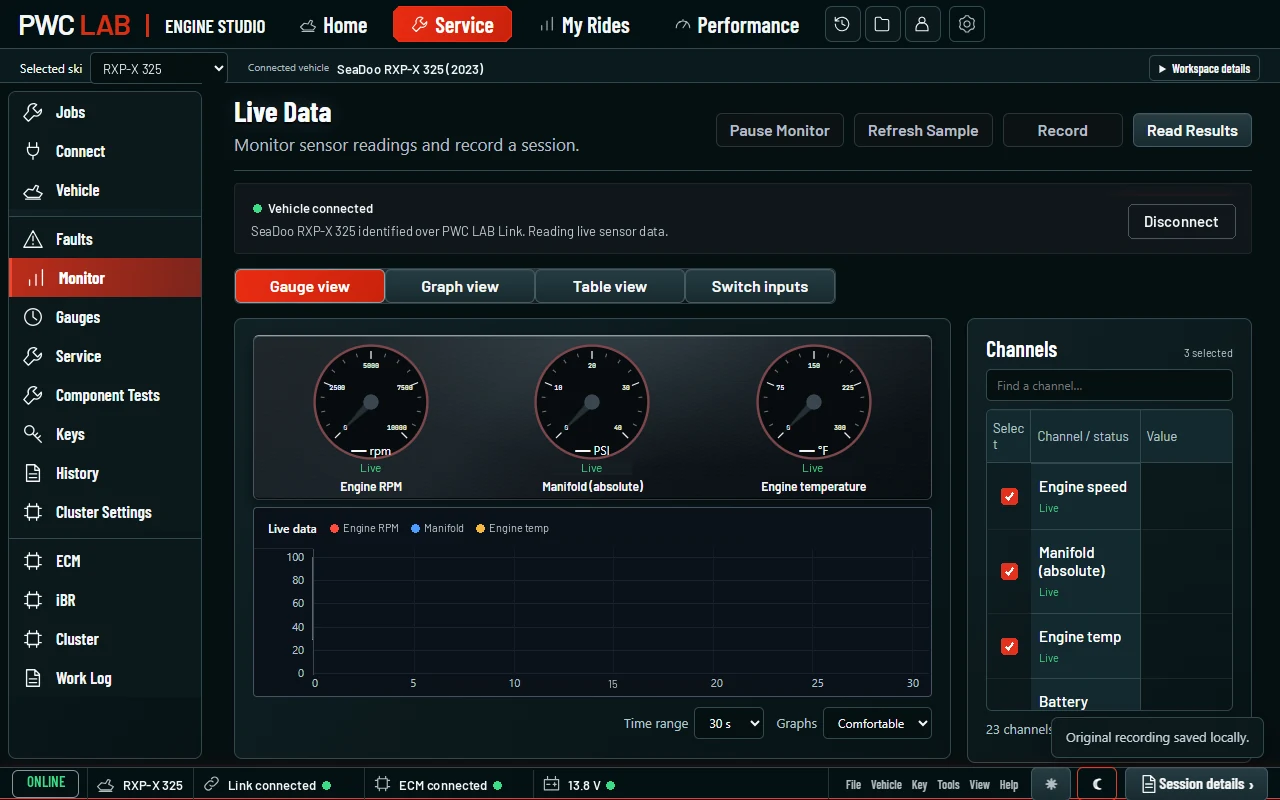
4. Live engineWatch RPM, boost and temperature swing as you go from idle to full throttle.
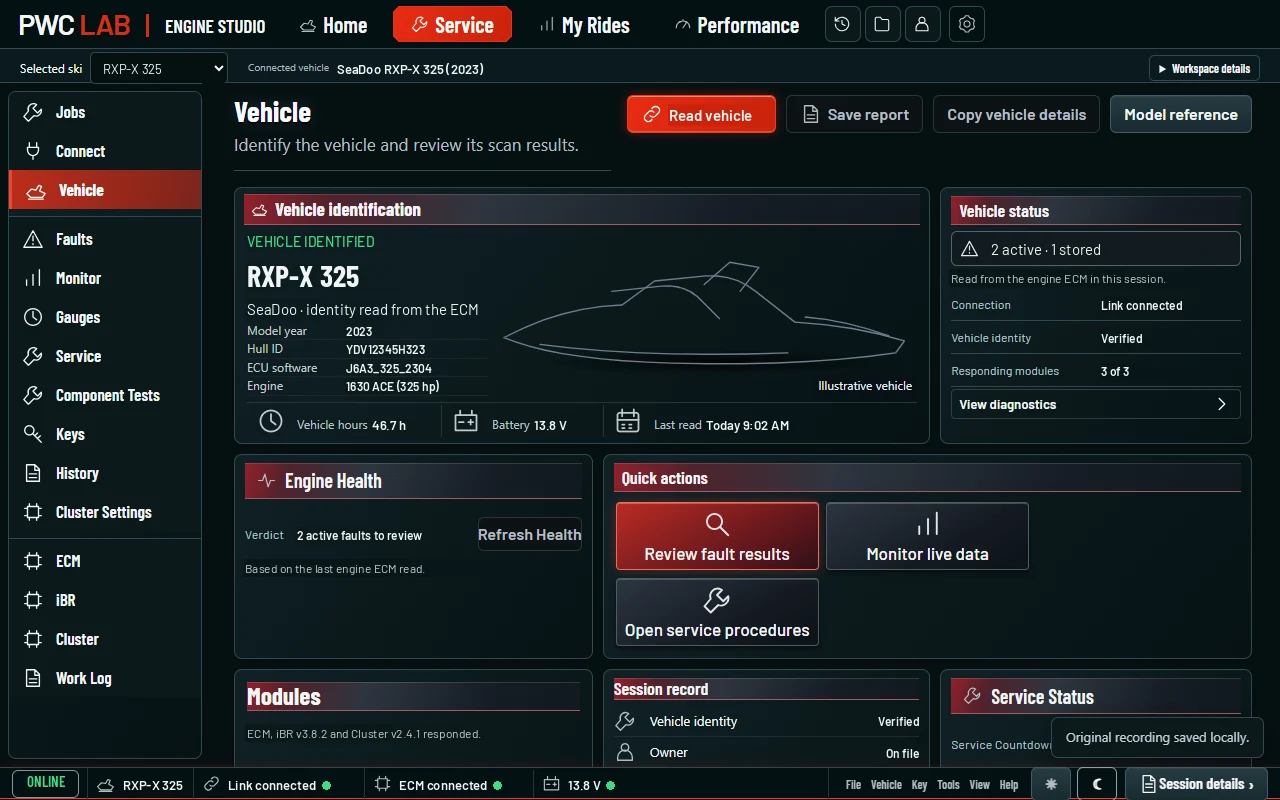
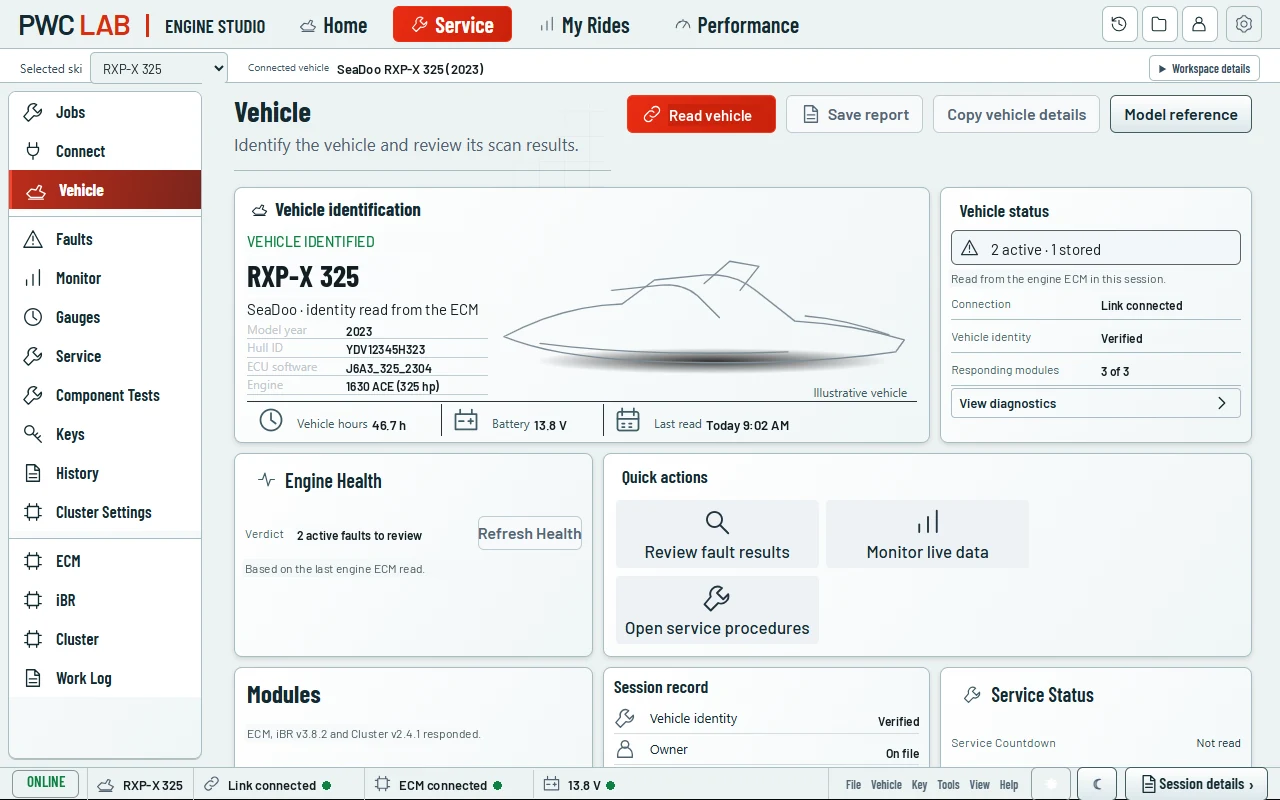
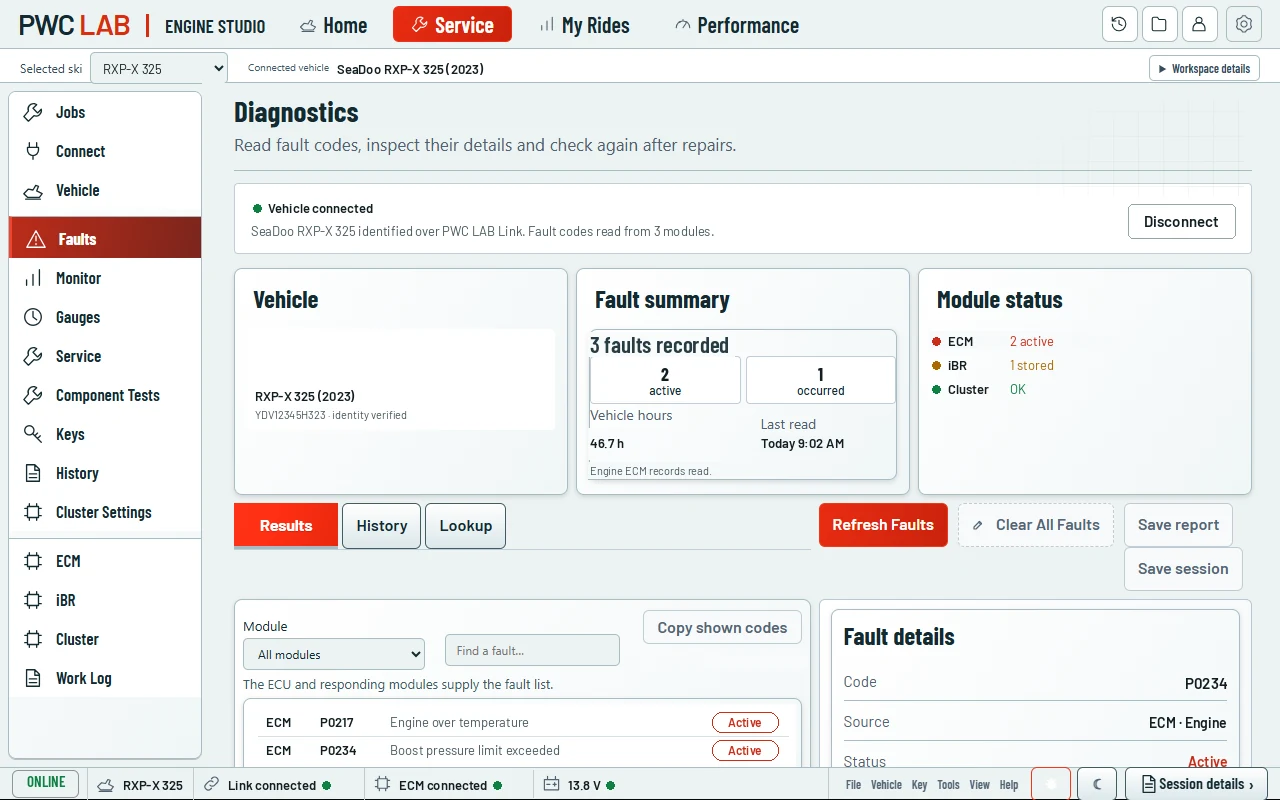
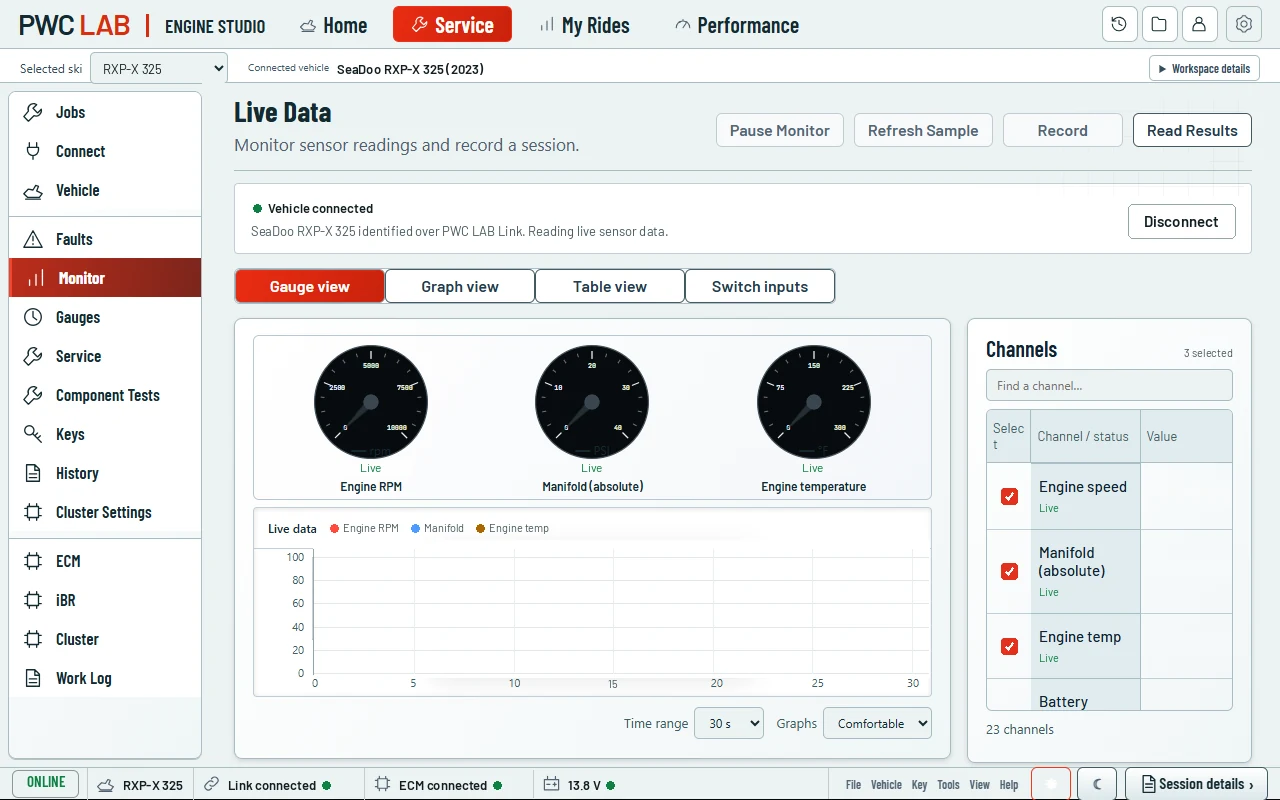
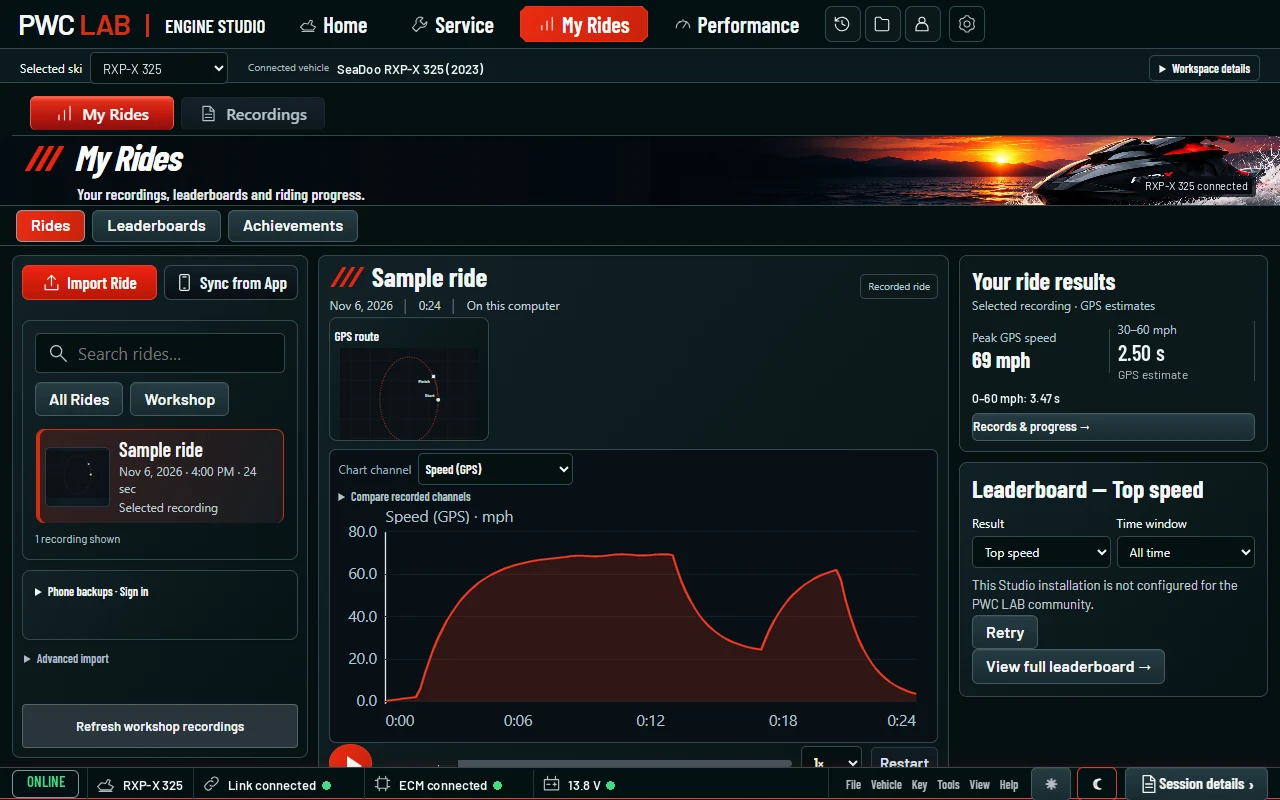
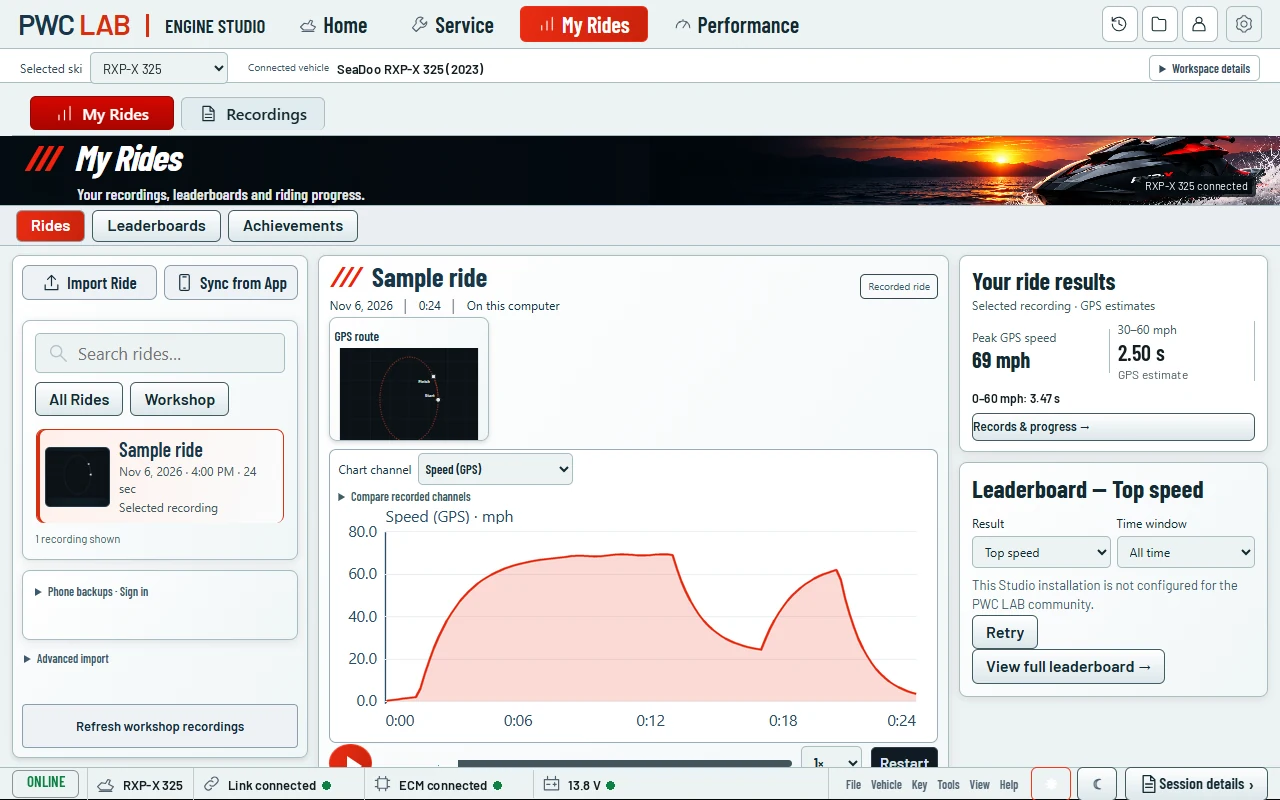
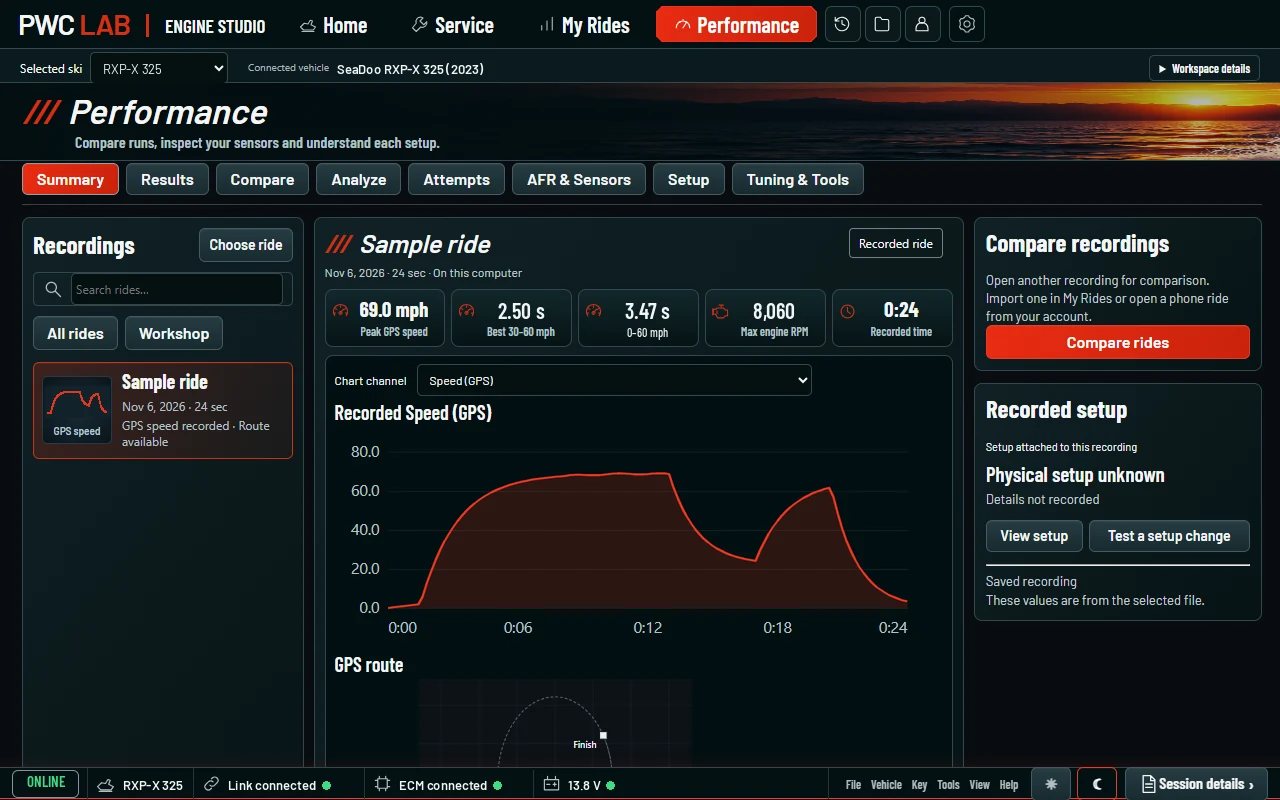
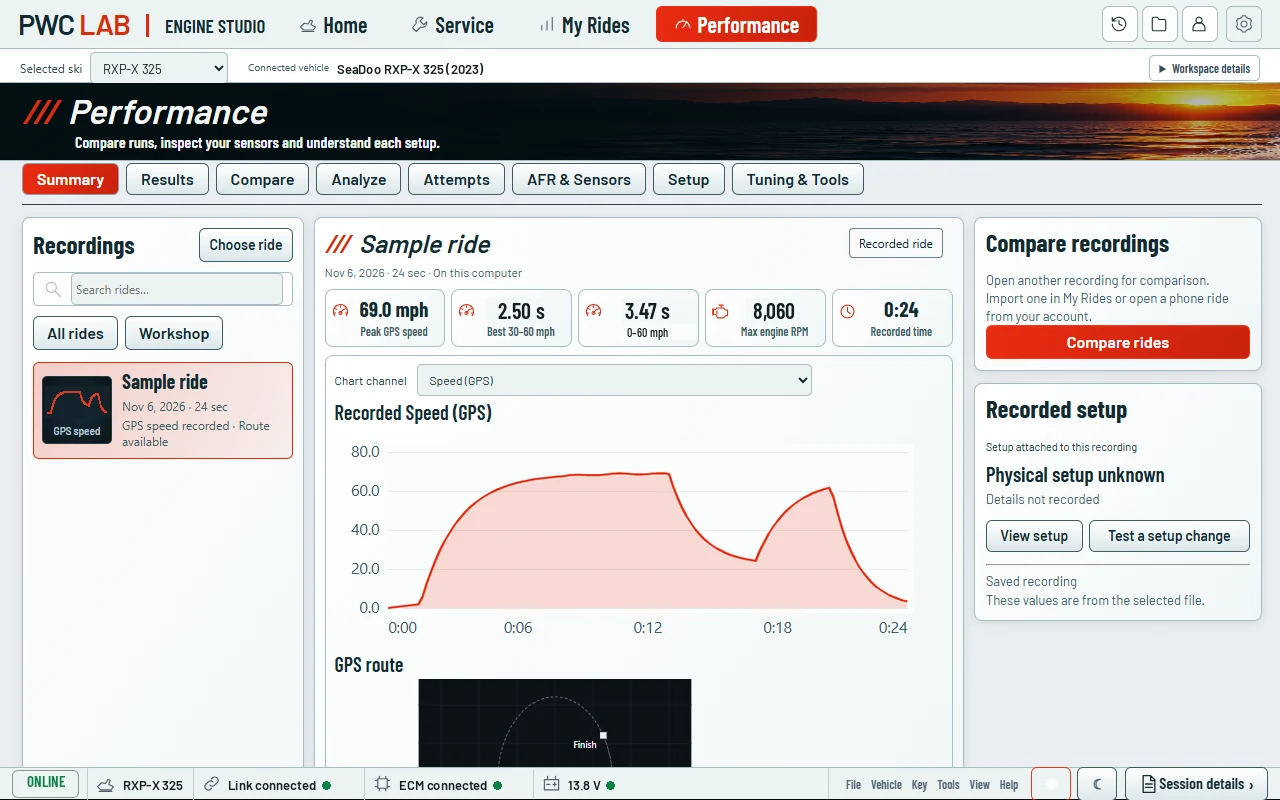
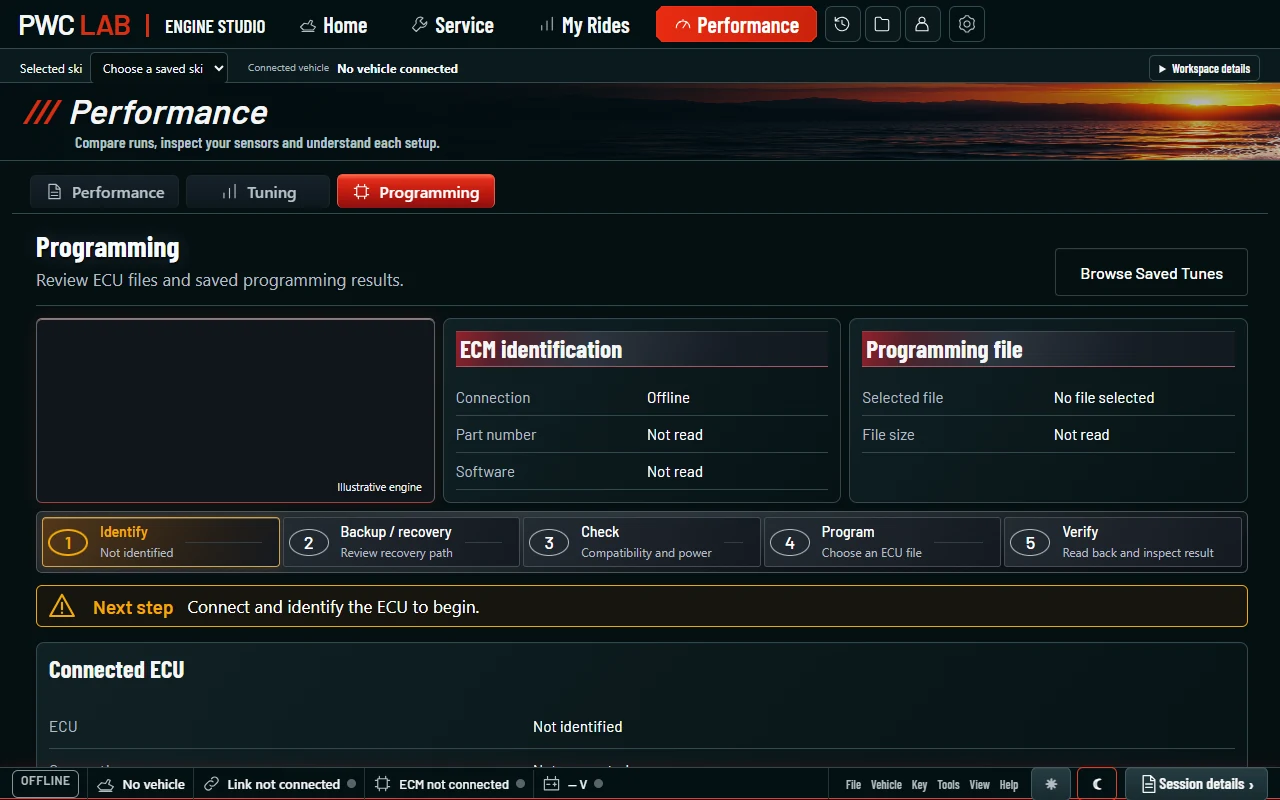
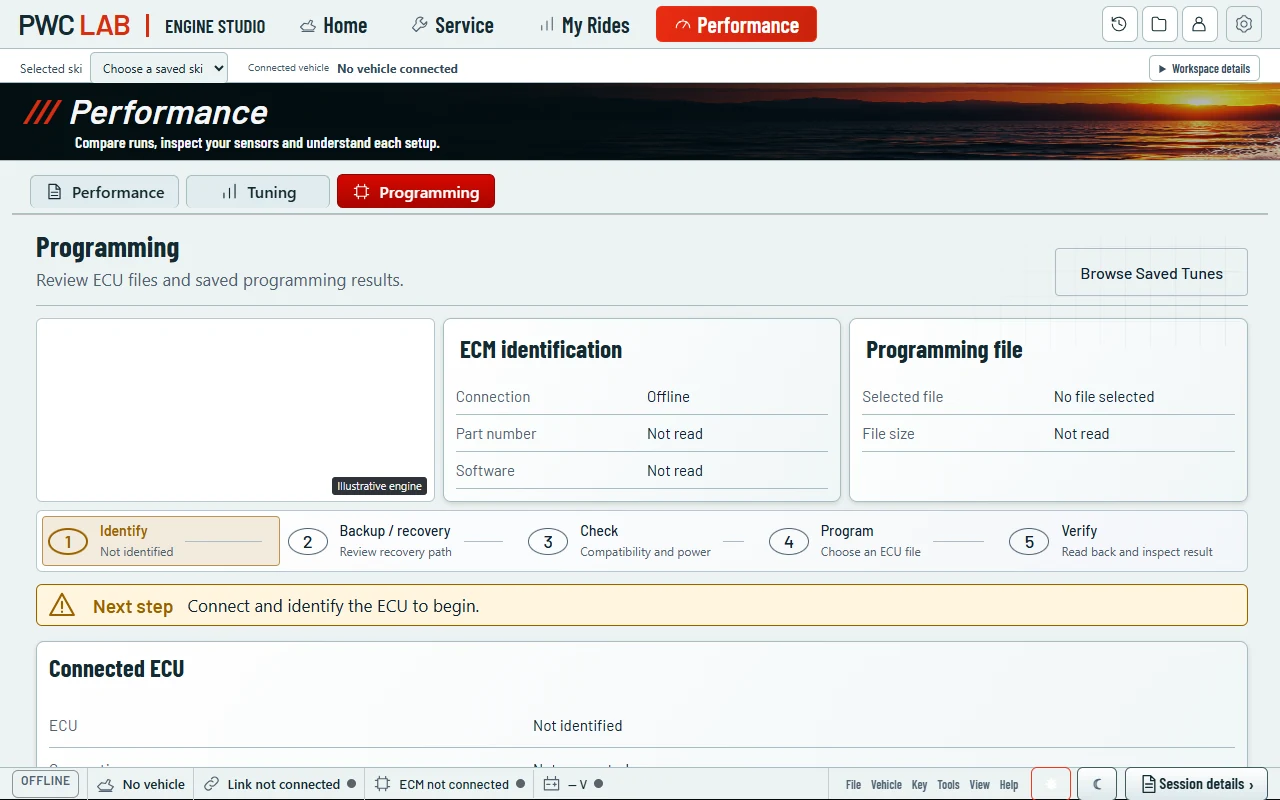
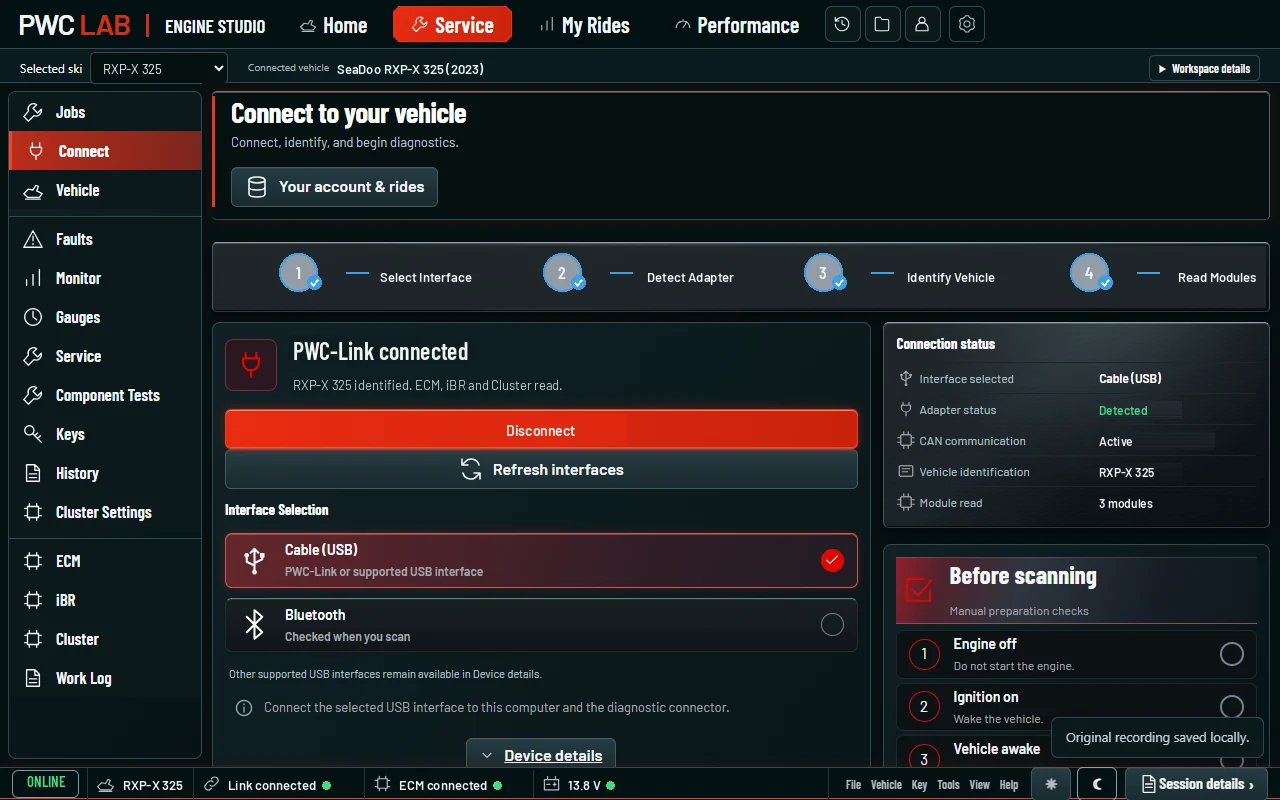
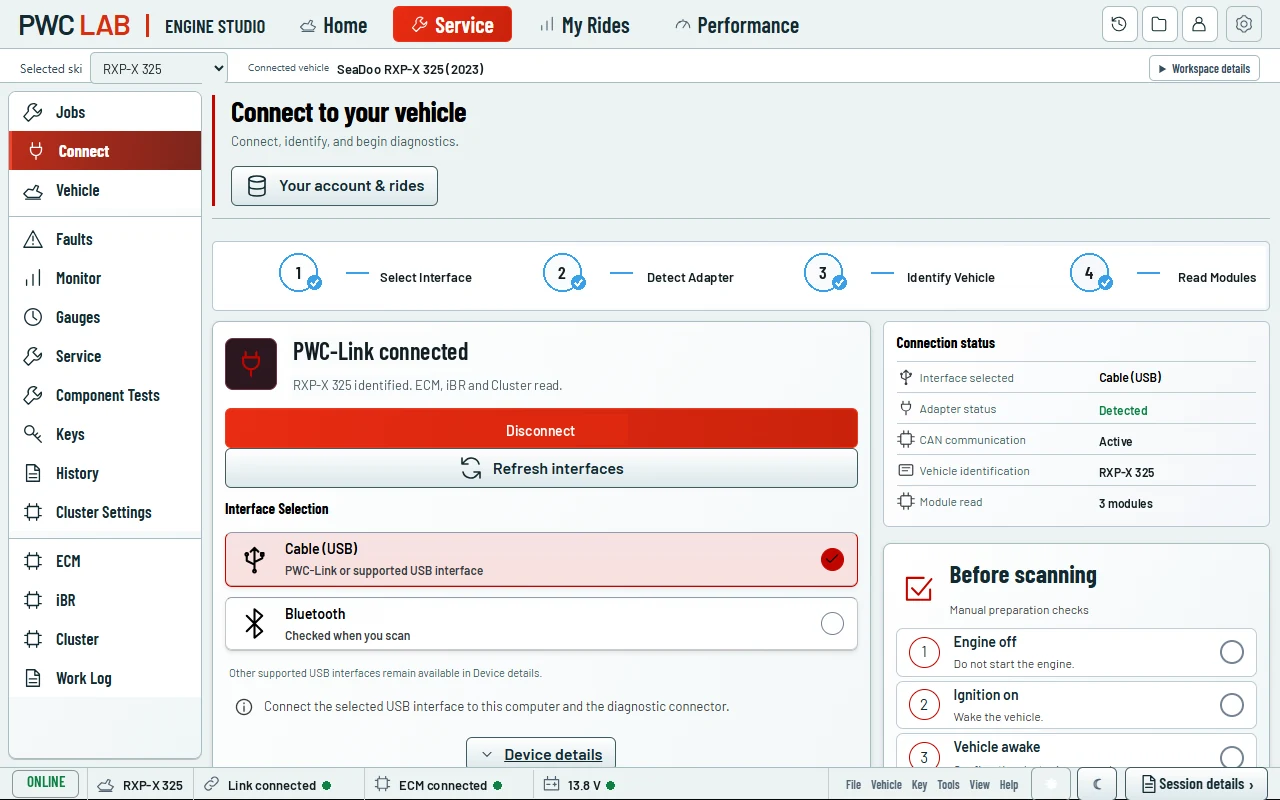
Real Engine Studio screens, in the app's dark and light themes.
HardwarePWC LAB Link · $299.99Plugs into your ski's diagnostic connector. Sold separately.
ComputerWindows laptopWindows x64 with Bluetooth. Internet to start protected operations.
AccessFree beta codeEmail us for a code. Your 72-hour trial starts when you activate.

More than a diagnostic tool.

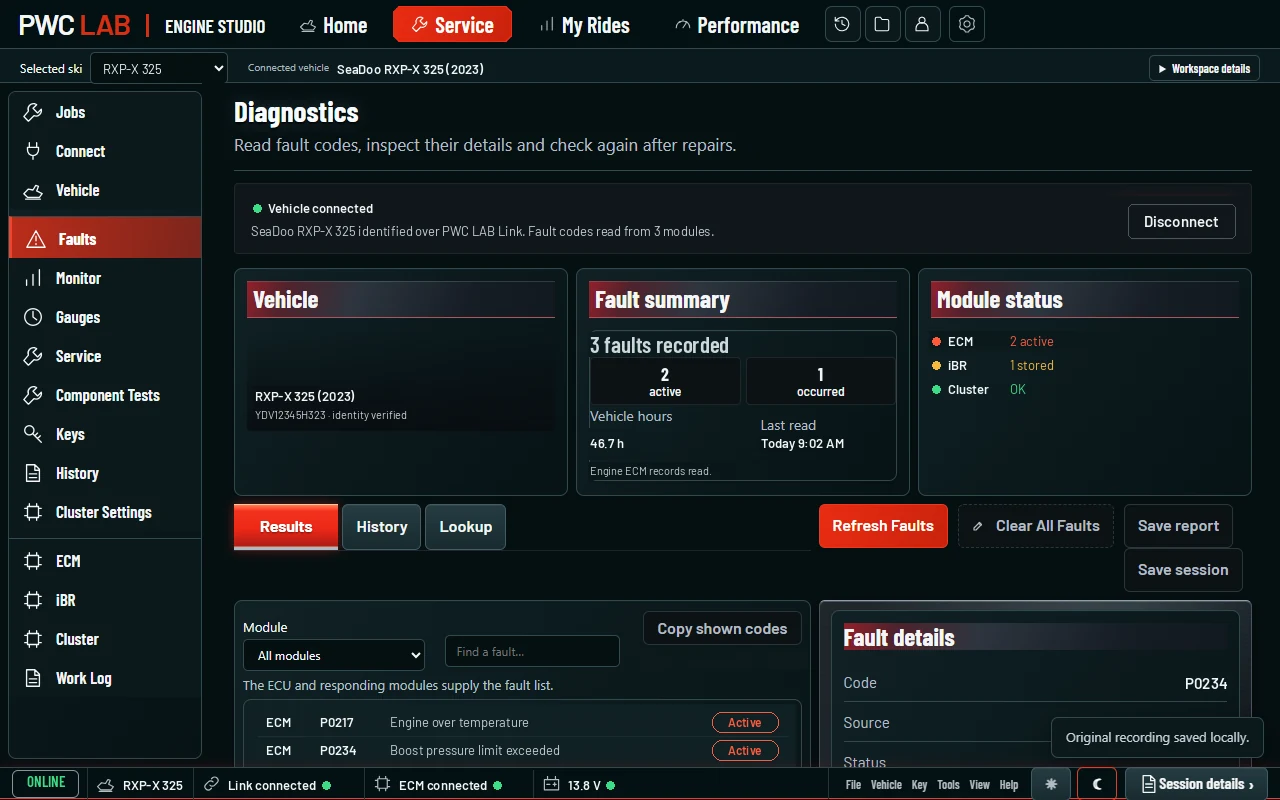
Faults screen showing the fault summary and module status
DiagnosticsRead fault codes, inspect vehicle information and watch live engine data.
Performance screen showing run results and a speed chart
PerformanceRecord, review and compare engine and ride data.
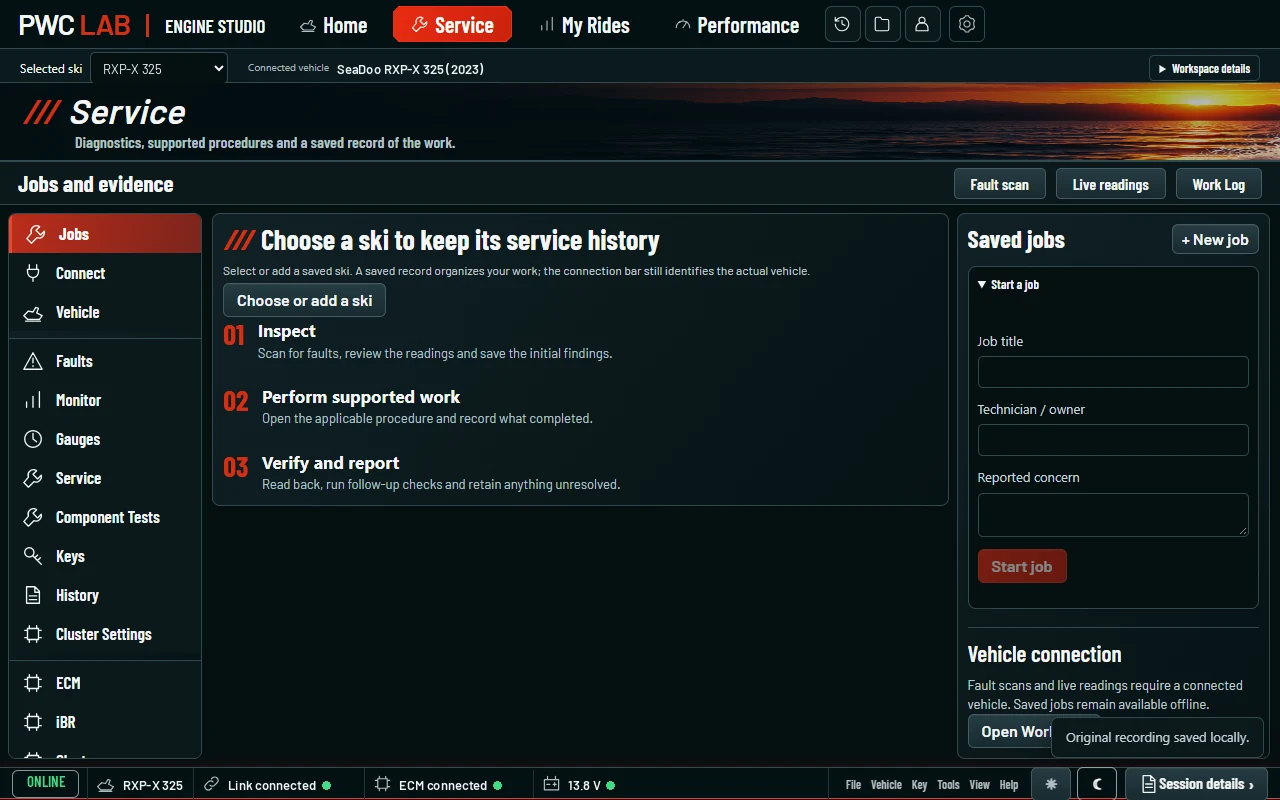
Jobs screen showing the service workflow
ServiceKeep machine records, review past work and run service functions.
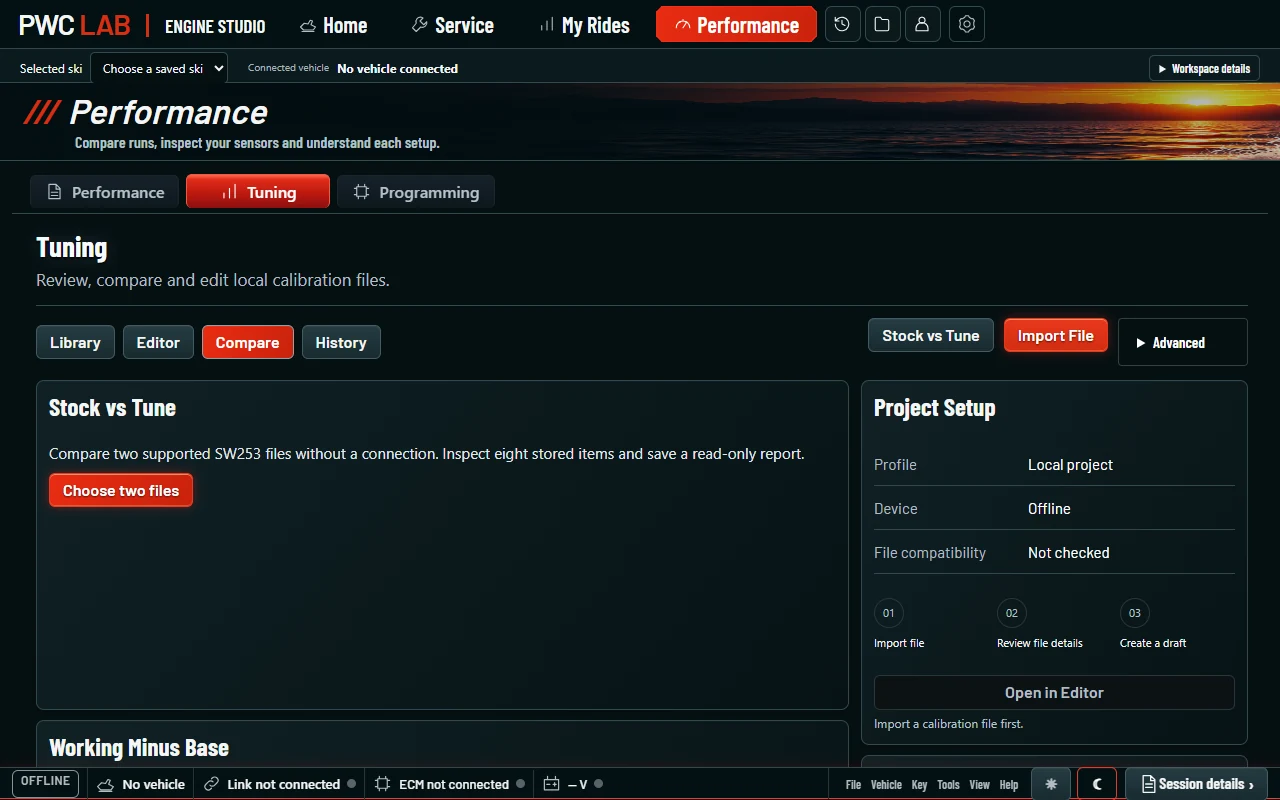
Programming screen showing ECM identification and the five-step sequence
ProgrammingFull release. ECU flashing is planned for the full release and is not in the beta.

What BUDS does, and where Engine Studio is today.

BUDS is the software SeaDoo dealers use to service your ski. Here is each job it handles, and whether Engine Studio has done it on a real ski yet.

12jobs dealers use BUDS for
5already working in Engine Studio on a GT40 test ski
Dealer jobBUDSStudio
Read fault codesWith the details saved for each code
Tested
Live engine monitorRPM, pressures and temperatures in real time
Tested
Identify the ski and its modulesModel, hull ID, engine computer, iBR and cluster
Tested
Engine hours and historyHow long and how hard the ski has run
Tested
Read the iBR systemBrake and reverse status and setup
Tested
Reset throttle positionRe-zero the throttle sensor
In beta
Clear fault codesAfter the repair, with a battery check first
In beta
Program keysAdd, remove and manage keys
In beta
Reset the maintenance reminderClear the service light after a service
Planned
Component testsRun the fuel pump and fire the coils
In beta
Cluster settingsUnits and replacement cluster pairing
Planned
Flash the engine computerLoad software onto the ECM
Planned

Tested: seen working on a GT40 test ski in the beta. In beta: in the software, not yet tested on a customer ski. Planned: not in the beta yet.

Plus what BUDS doesn't do.

BUDS is a service tool. Engine Studio is also built for riding and for running a shop.

My Rides screen showing a recorded run and its speed chart
Ride playbackRecord a ride with its GPS route and play it back.
Performance screen showing peak speed, acceleration times and the speed chart
Run timing and comparisonTop speed, 0 to 60 and 30 to 60 for every run, side by side.
  • Fuel mixture and sensor tables. What each sensor read across the RPM range.
  • Custom gauge screen. Pick the eight gauges you want to watch.
  • Oil pressure and AFR. Read them live when the sensors are installed.
  • Service jobs and work log. Track each job from inspection to verification.
  • Saved reports. A record of what was found and fixed.
  • Phone ride import. Open a ride file exported from the PWC LAB phone app.
  • Leaderboards and achievements. See how your runs rank.
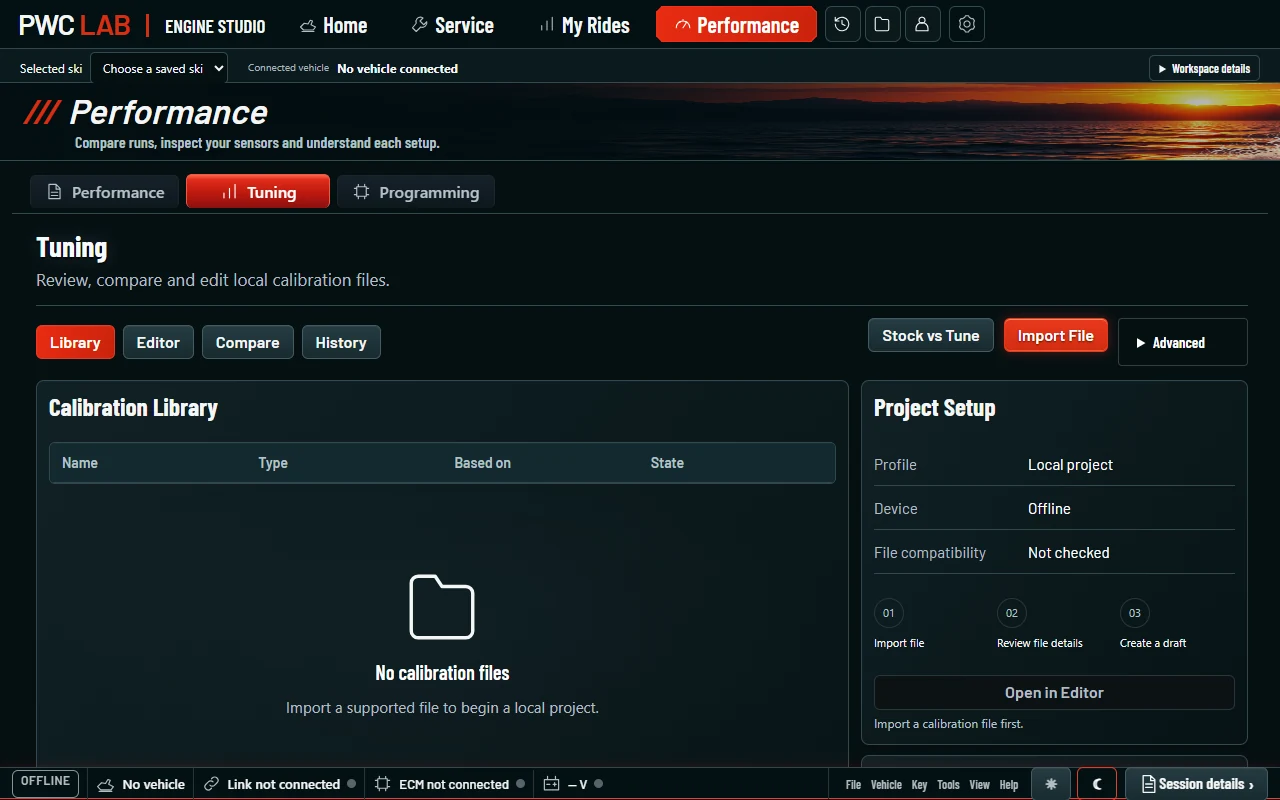
  • Tune library and editor. Open, compare and edit tune files.
  • Light and dark themes. Readable on the dock and in the shop.
  • Your own laptop. No dealer visit and no dealer login.

BUDS is a trademark of BRP. Engine Studio is an independent product and is not affiliated with BRP.

Don't just change it. Prove it.

Record a run before a change and another after. Engine Studio lines them up so you can see what the change did.

Example run data

Top speed69.0 mphBefore: 66.8 mph
0 to 60 mph3.47 sBefore: 3.99 s
Peak boost16.2 psiBefore: 14.5 psi
0204060800:000:060:120:180:24
GPS speed (mph)Dashed grey: before. Red: after.Example runs

Meet the PWC LAB Link

Your ski. Your laptop. Connected.

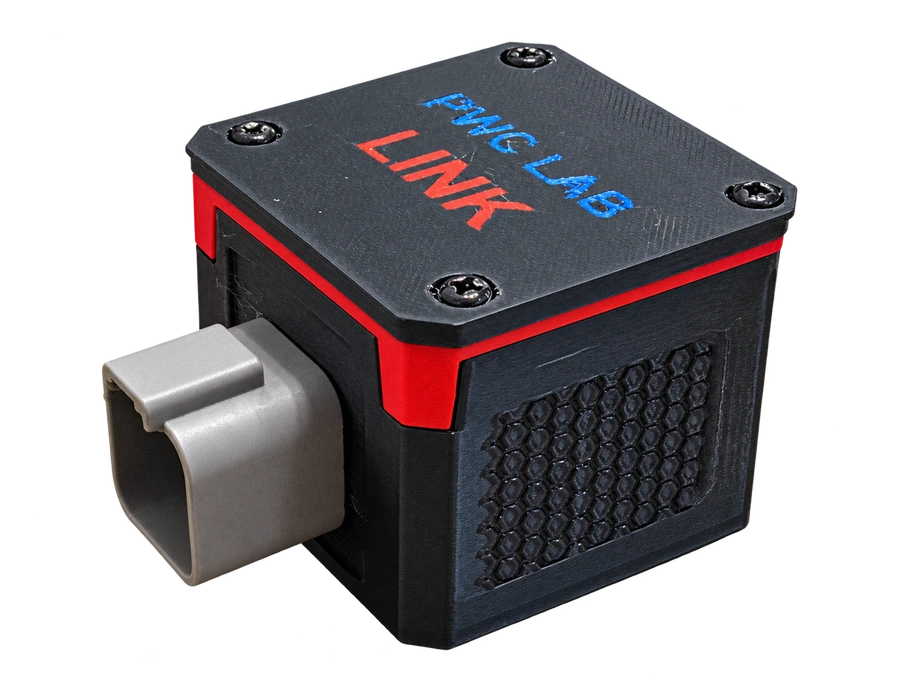
PWC LAB Link connects your SeaDoo to Engine Studio on your Windows laptop.
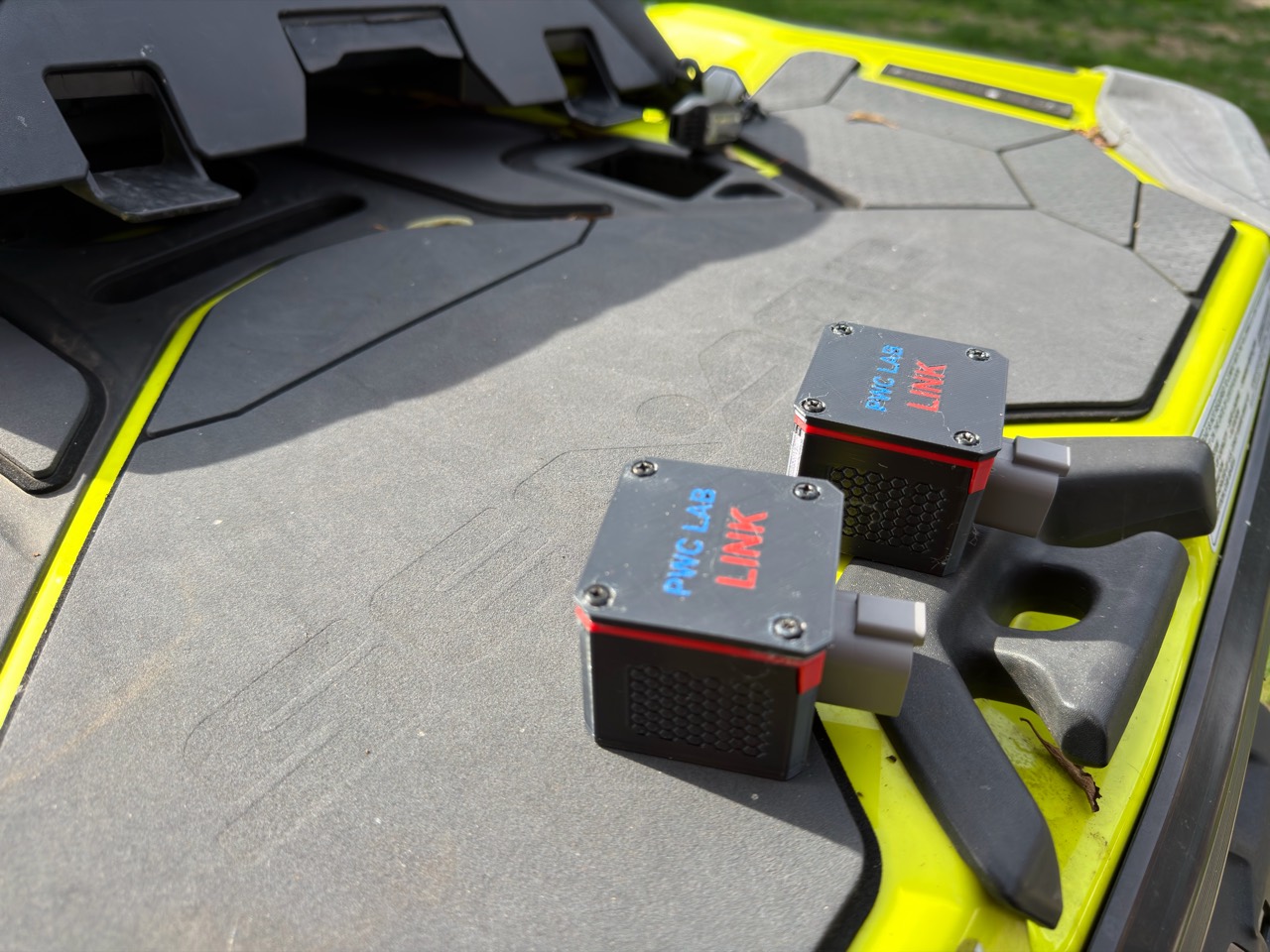
Two PWC LAB Link adapters on the deck of a SeaDoo, next to the diagnostic connector
Plug in the LinkIt goes into the diagnostic connector on your ski.
PWC LAB Link adapter with its six-pin connector
Connect Engine StudioThe Link pairs with your laptop over Bluetooth.
Engine Studio Vehicle screen on a laptop, showing a connected ski
Read your skiModel, hours, battery, faults and live data in seconds.

PWC LAB Link required for vehicle connection.

See PWC LAB Link · $299.99

Go deeper

App theme

What's wrong with my ski?

Engine Studio reads the fault codes and shows which problems are happening now and which happened earlier.

  • See each code and which part of the ski reported it.
  • Clear the codes after the repair.
  • Read again to make sure they stayed gone.

Safety check: it will not clear codes if the battery is below 11.7 V.

Faults screen showing three faults read from the ski: two active and one stored

How is my engine running?

Live gauges for speed, RPM, boost, temperatures, fuel and battery. Tap the arrows to switch gauge views.

  • Choose which gauges you see.
  • Record a session and look at it later.
PWC LABLIVE RIDERXP-X 3252023 SeaDoo
GAUGE VIEW06 RIBBON
SPEED46.7MPH
ENGINE RPM8,040rpm
Boost15.8PSIMAX 16.2
Engine temp183°F
Intake temp117°F
Exhaust temp142°F
Fuel68%
Battery13.8V
OPTIONAL SENSORS
Oil pressure77PSI
AFR11.6AFR
Elapsed12:34
Distance8.3 mi
Max speed67.6 mph
Channels vary by model · External sensors optional

How did my ride go?

Record a ride, then play it back with the route on a map and your speed on a chart.

  • Bring in a ride from your laptop or your phone.
  • See top speed, 0 to 60 and 30 to 60.
My Rides screen with a recorded run, its route and a speed chart

Did my upgrade work?

Every run gets its numbers. Put two runs side by side to see what a new part changed.

Performance screen with top speed, 0 to 60, 30 to 60 and max RPM

Run a shop?

Start a job, do the work, check it, and save a report for the customer.
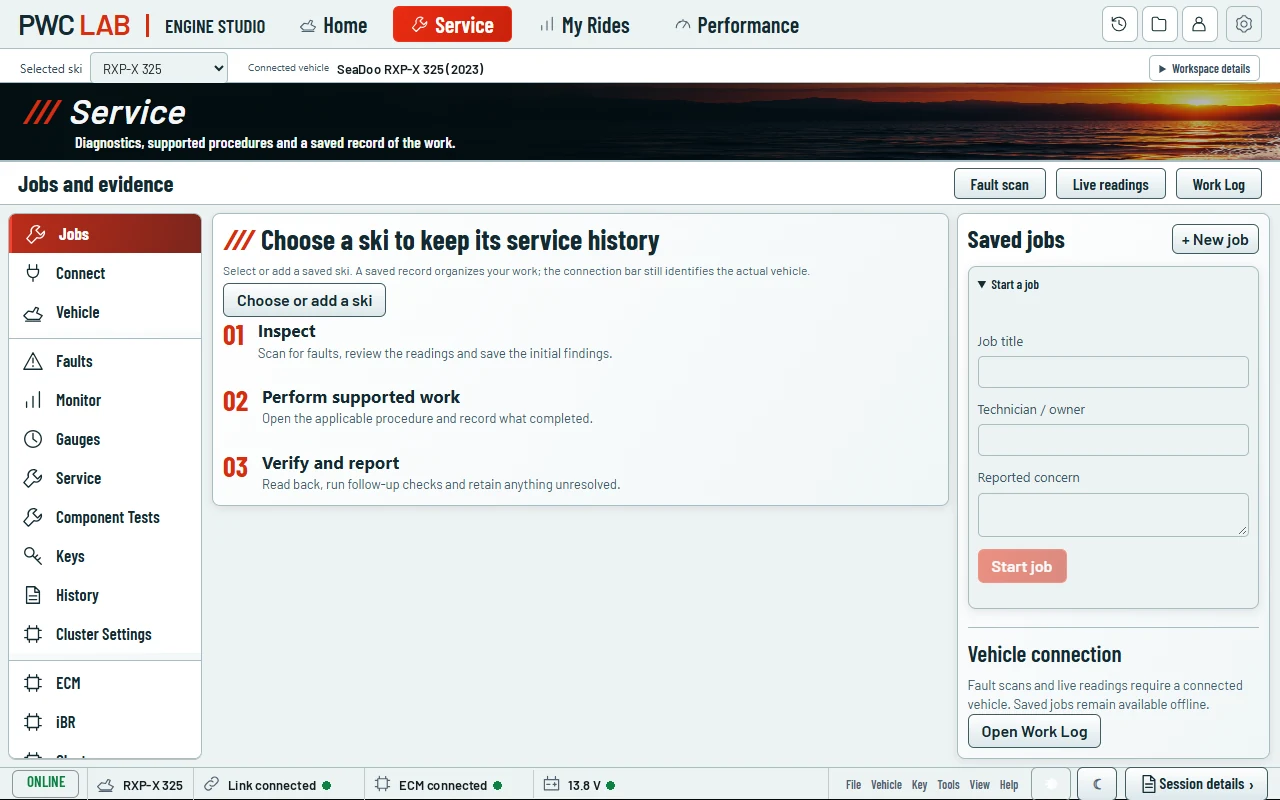
Jobs screen with the inspect, perform and verify steps

Coming in the full release

ECU flashing: planned for the full release.

Not in the beta. The beta has no approved tunes. We'll publish the supported skis before flashing goes on sale.

Stock flashing

Program a compatible factory calibration to return your ECU to a stock configuration.

  1. 1Identify the ECU
  2. 2Back up / recovery
  3. 3Check compatibility and power
  4. 4Program
  5. 5Read back and verify
Engine Studio Programming screen with ECM identification, programming file and the five-step sequence
Programming, Tuning library and Stock vs Tune in Engine Studio.
Files
Factory stock, aftermarket and tuner-supplied calibrations
Every flash
Identify, back up, check, program, verify
Before programming
ECU compatibility and power are checked first

Will it work with my SeaDoo?

Tell us your ski and we'll confirm diagnostics, live data and service functions for your model.

Want oil pressure or AFR? Those need added sensors. Tick what your ski has and we'll tell you what else you need.

Sensors installed on the ski

Your SeaDoo. Your workspace. Your control.

Hardware

PWC LAB Link

$299.99

Plugs into your ski's diagnostic connector and connects to Engine Studio over Bluetooth.

Software

Engine Studio

Free 72-hour trial

Windows x64 beta

  1. Request a beta code. Email us and we'll send one.
  2. Download the installer. Install it on your Windows laptop.
  3. Activate. Enter the code. Your 72 hours start when activation succeeds.

No email app? Write to support@gt40marine.com with your ski model. Download is Performance Beta 378. Need the older Classic edition? Download Classic Beta 279. ECU flashing is unavailable in the beta. Install updates manually with the latest signed installer. Engine Studio access is separate from the Link purchase.

Runs on
Windows x64 laptop
Connects by
Bluetooth, through PWC LAB Link
Internet
Required to start protected operations

Out on the water? The PWC LAB app records your rides on your phone. Explore the rider app

Questions

How does the free trial work?

Request a beta code, download the Windows x64 installer, then activate with the code. Your free 72-hour trial begins when activation succeeds.

Do I need the PWC LAB Link?

Yes. The Link is the adapter that connects your laptop to the ski. Engine Studio does not talk to the ski without it.

Is Engine Studio included with the Link?

No. Engine Studio access is separate from the Link purchase.

Will it work on my ski?

Send your model, year and engine through the compatibility check and we'll confirm diagnostics, live data and service functions for your ski.

Do I need to be a mechanic?

You don't need dealer tools. Some screens still show technical codes; we're simplifying them during the beta.

Does it replace BUDS?

Not yet for every job. The table above shows each BUDS job and where Engine Studio is today. Available functions vary by ski and software edition.

How is it different from CanDoo?

CanDoo uses its own cable, and its home version is limited to four skis. Engine Studio connects through the PWC LAB Link over Bluetooth and adds ride recording and performance comparison to diagnostics. CanDoo covers more service jobs today; the table above shows where Engine Studio stands.

What does it run on?

A Windows x64 laptop. The Link connects to it over Bluetooth.

Does it need the internet?

Internet access is required to start protected operations.

What does it cost after the trial?

Engine Studio isn't on sale yet. The 72-hour beta trial is free. Join the waitlist below to hear first when it goes on sale.

Is ECU flashing in the beta?

No. ECU flashing is unavailable in both Windows beta editions.

Do oil pressure and AFR need extra sensors?

AFR needs an added wideband sensor, and oil pressure needs an oil-pressure sensor. Reading the 325's factory O₂ sensor is in development and not yet tested on a 325. Ask GT40 Marine about the right hardware for your ski.

Can I go back to stock?

Stock flashing is a full-release feature for supported configurations with a compatible factory calibration.

Can I flash a file from my own tuner?

Custom flashing is a full-release feature for supported configurations and requires a compatible calibration file supplied by your tuner.

How does it protect the ECU during a flash?

Every flash runs the same five steps: identify the ECU, back up, check compatibility and power, program, then read back and verify.

How is it different from the PWC LAB app?

The PWC LAB app is the rider experience for ride recording, maps and supported on-water data. Engine Studio is the separate Windows platform for diagnostic and service work.

Is this made by SeaDoo?

No. Engine Studio is made by GT40 Marine. We are independent of BRP.

Join the Engine Studio waitlist.

Get Engine Studio release announcements, beta news, and feature updates by email.

By joining, you agree to receive Engine Studio updates by email. Privacy policy.

PWC LAB Engine Studio is a GT40 Marine product. GT40 Marine and PWC LAB are independent and are not affiliated with, sponsored by or endorsed by BRP. SeaDoo, Rotax, BUDS and related model names are trademarks of their owner and are used only to describe compatibility. Screens show Engine Studio with illustrative ski data.