See RPM, temperatures, boost and fuel live on your phone while you ride.*Read every module's fault codes in your own garage, then check your repair.Read every ski's codes and live data before it goes back out.
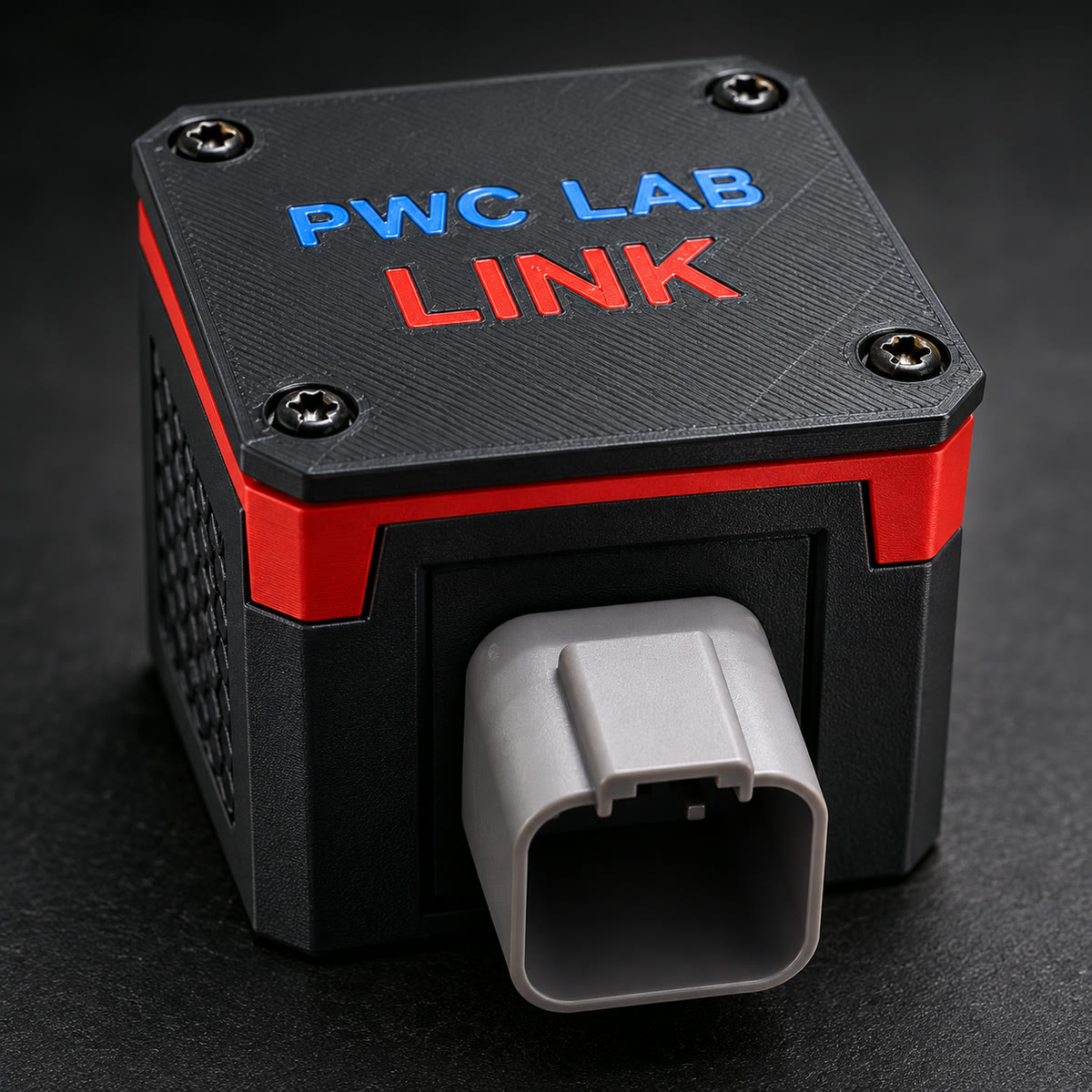
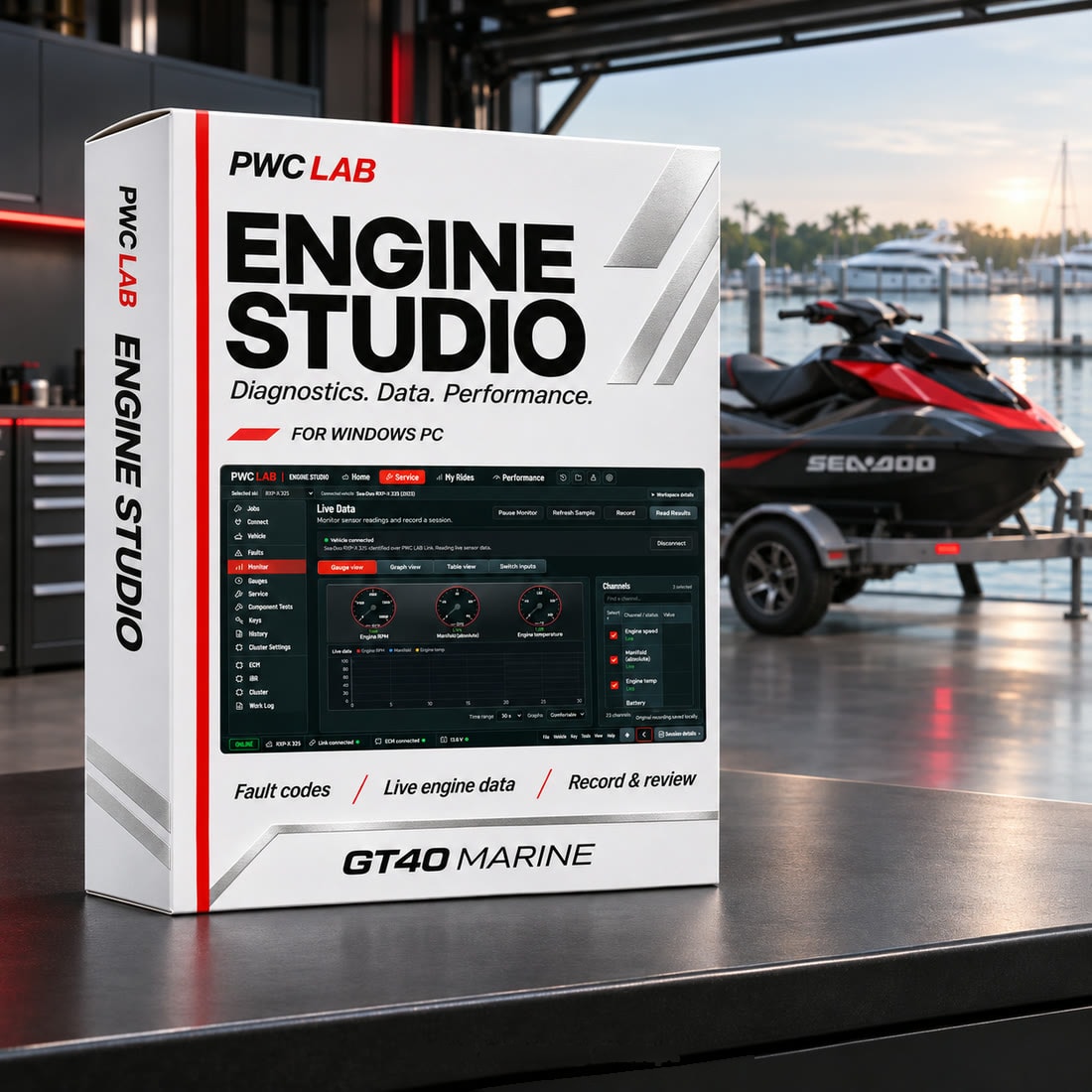
Plug Link into the diagnostic port. The free app puts your engine on your phone, and Engine Studio, a free Windows beta, reads every module from your laptop.
Link goes on the diagnostic port and stays there. Nothing to cut or splice.
1Plug it inOn the diagnostic port.
2Open the appIt finds your Link.
3RideEngine readings beside your speed.*
Bluetooth and USB. Phone by Bluetooth, laptop by either.
SCOM and Startup Sport. On compatible Sea-Doo models.*
If you ride. This is the one thing to buy. Everything on your phone runs through it.If you do your own work. One Link feeds the app today and Engine Studio when it opens.If you run a shop or rentals. One Link stays on each ski, so each ski can report for itself.
It is talking. Give it a screen.
Chapter 2 · The app Free in the stores
Your dash, on your phone.
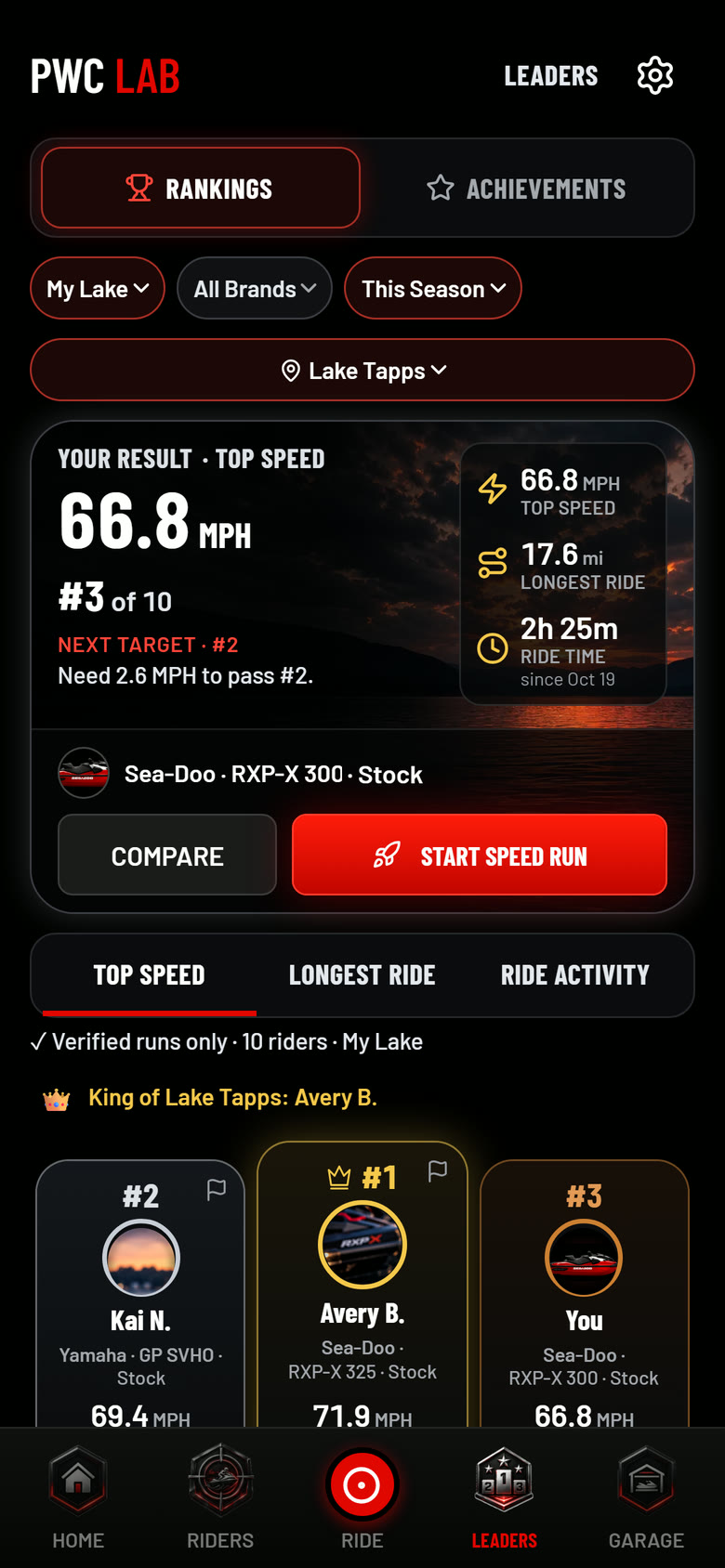
The signal lands here first: engine readings beside your GPS speed, every ride saved, fault codes in plain words.
If you ride. This chapter is yours. Gauges while you ride, every ride kept, and an answer when a light comes on.If you do your own work. Start here. Live readings and fault codes on your phone today, before a laptop is ever involved.If you run a shop or rentals. For your customers. A free app to record their ride, on any ski, with or without Link.
01 · “What is it doing right now?”
Live gauges.
Engine readings from Link sit beside your GPS speed on one screen.*
What Link reads. RPM, engine and intake temperature, boost, battery, fuel level, throttle and exhaust water temperature.*
02 · “How was that ride?”
Recorded, then recapped.
Start a ride and the app saves your speed, route and engine readings together.* Back on the trailer, the recap shows the distance, time, route and engine highlights.
Any ski. GPS speed and route work without Link.
With Link. The engine readings are saved with the ride.
03 · “Why is that light on?”
Fault codes.
Scan faults in plain words and clear supported stored ECM codes.*
Honest results. A timeout is never shown as all-clear.
Clearing is not fixing. If the problem is still there, the code can come back.
04 · “What else is in there?”
AFR map, leaders and garage.
With a wideband sensor on Link, the app fills in an air-fuel map as you ride.
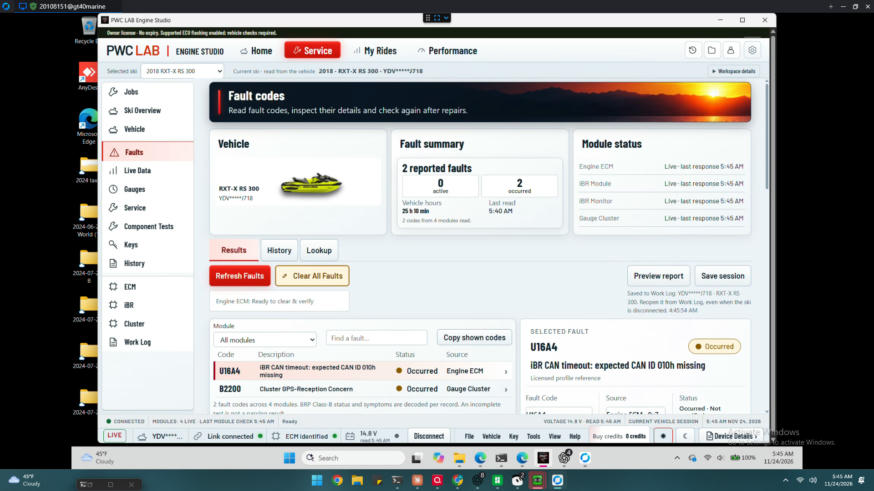
Same Link, bigger screen, no cable across the shop floor. Watch the engine run, read every module and hand back a saved record of the job.
If you ride. You may never need this. The app already reads your codes. This is for the day you pick up a wrench.If you do your own work. This chapter is yours. Every module’s codes, live data and the service record, in your own garage.If you run a shop or rentals. This chapter is yours. Read every module on a customer’s ski, watch it run and hand back a saved record of the job.
01 · “What is wrong with it?”
One job, start to finish.
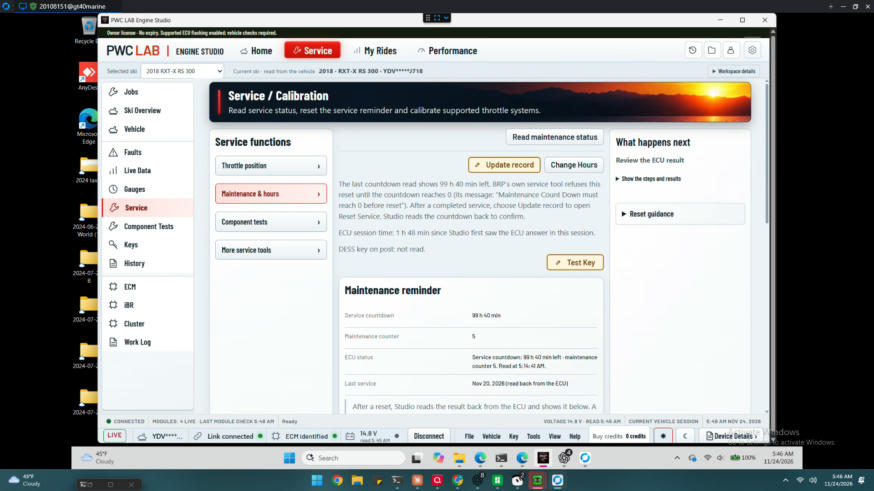
A 2018 RXT-X RS 300 on the trailer. Watch the engine run, read all four modules, open a fault and save the job to the work log.
02 · “What else can it do?”
Gauges, keys, fuel maps, service.
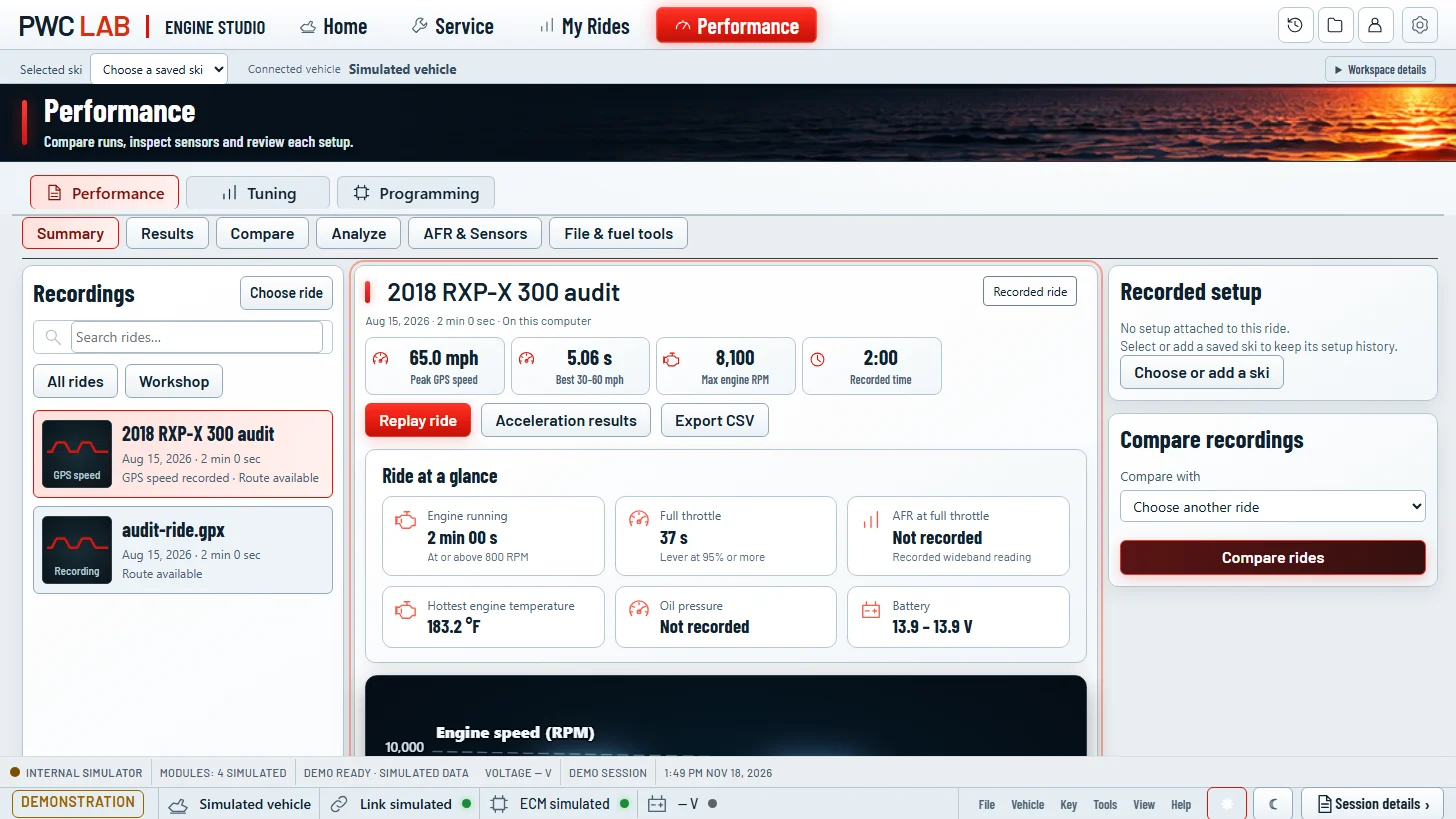
The gauges you choose, running. The keys the ski knows, read in one press. The fuel-correction map as a surface you can turn. AFR from a recorded ride, and the service countdown read from the ski.
That is one ski. Now picture twelve.
Chapter 4 · Fleet Coming soon
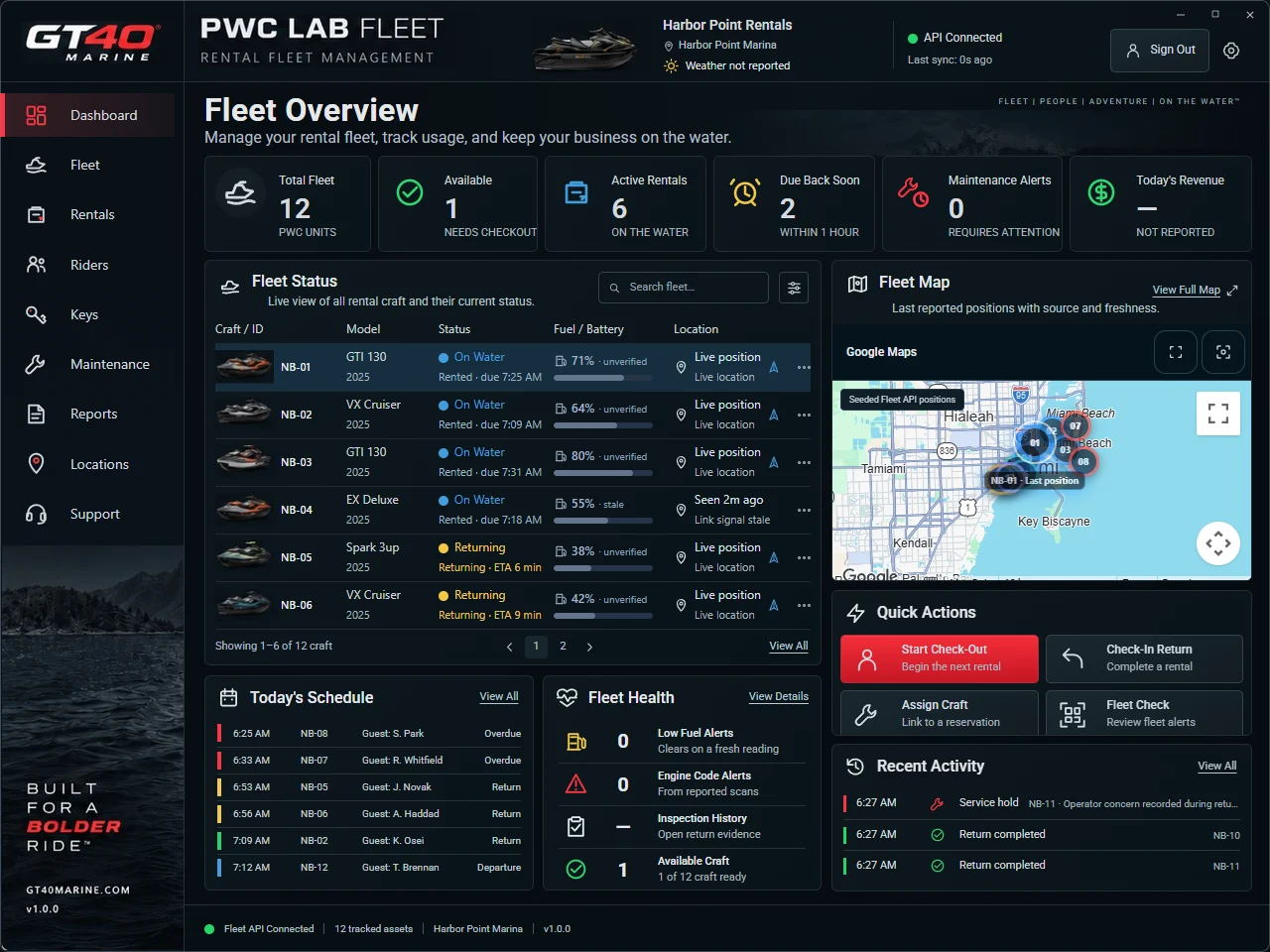
Run the whole dock from one screen.
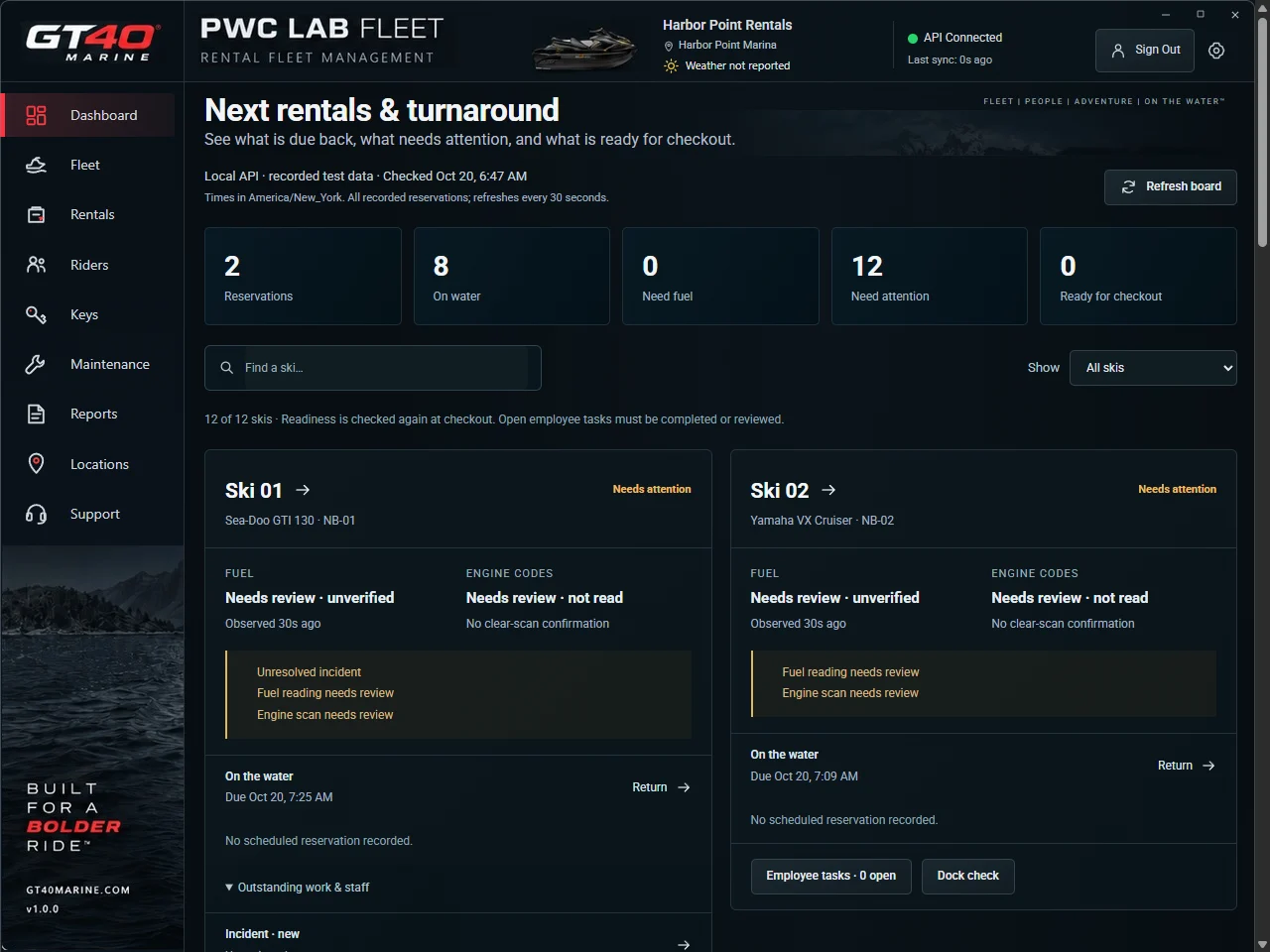
A desktop program for a rental operation or a shop with more than one ski to look after.
If you ride. Not for you, unless you start renting them out.If you do your own work. Not for one ski. It earns its place when there are many.If you run a shop or rentals. This chapter is yours. Where every ski is, which ones are ready, and what each needs before it goes back out.
01 · “Where is everyone?”
Every ski, on the map.
Watch each ski as it moves. Pick one to see its fuel, engine speed and codes without leaving the desk.
02 · “Who is ready to go back out?”
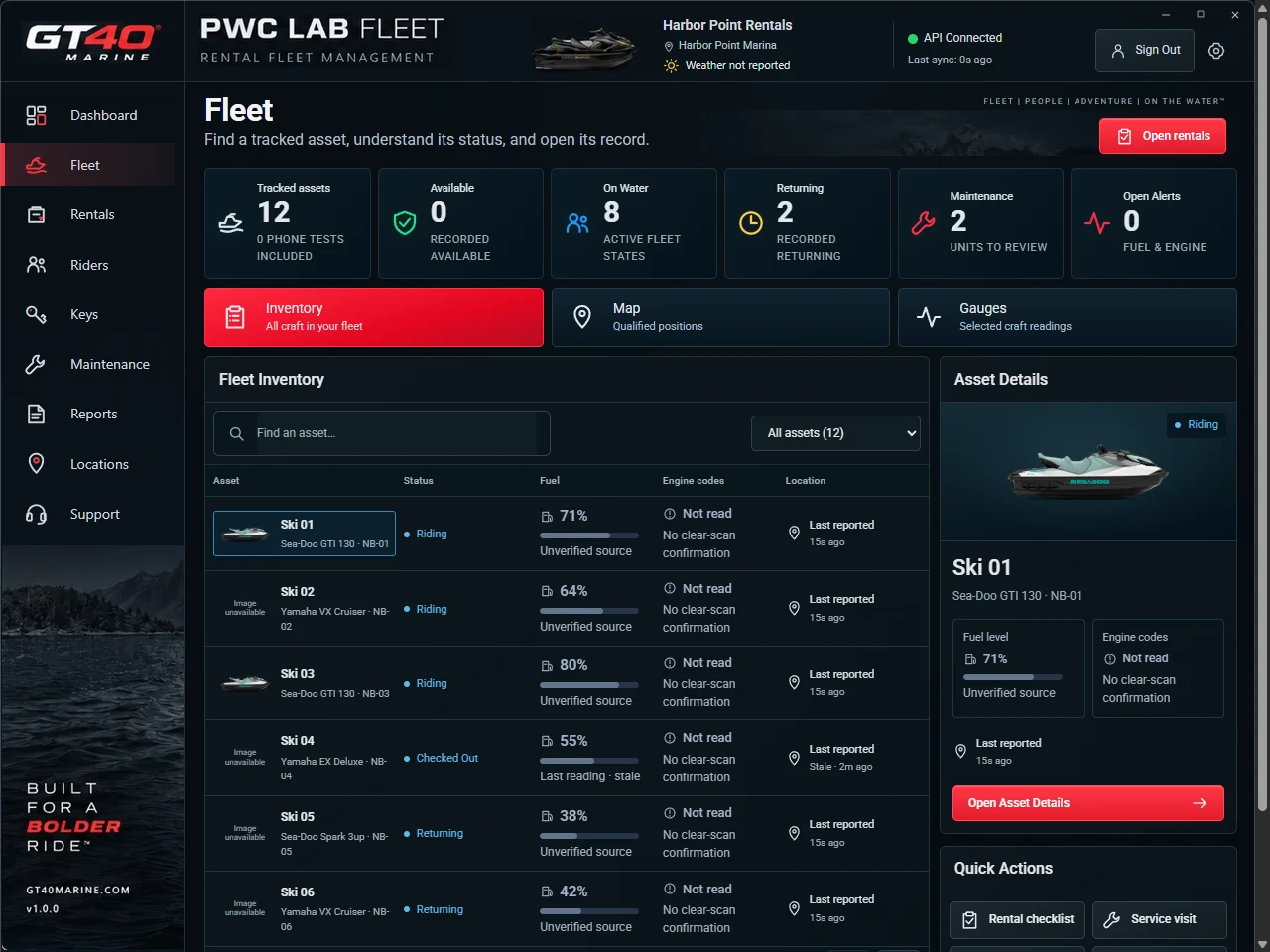
Ready, out, returning.
Every ski's status, fuel and codes on one board. Check-out assigns a ski and a key; check-in lists what it needs before it goes out again.
Fleet Health. The skis to look at before the next renter.
Use the app for codes and live data today. Engine Studio adds every module, the service record and component tests on a Windows laptop, through the same Link.